Turning Photos into Colouring Pages for Children
How to use line-style sketch effects to make personalised colouring pages, with tips on choosing pictures and printing.
Children love colouring pictures of their own lives: their pet, their house, their toys. A line-style sketch of a photo can become a personal colouring page.
What makes a good colouring page
- Clear, clean outlines.
- Large areas to colour, not tiny details.
- White or light background.
- Simple subjects.
Choosing the photo
| Good choice | Why |
|---|---|
| A pet in front of a plain background | clear shape |
| A toy or teddy | simple outline |
| A house or car | strong lines |
| A child's favourite animal | an instant hit |
| A flower or tree | natural shapes |
Avoid crowded scenes and fine textures, which turn into tiny scribbles that are hard to colour.
Making the page
- Take a clear photo with good light and a plain background.
- Apply a line or outline sketch effect and look for one that gives clean outlines.
- Check that the picture has enough white space to colour.
- Save the result.
- Print on plain paper at a comfortable size.
Simplifying
If the effect gives too much detail:
- Crop closer to the main subject.
- Try a different effect.
- Use a photo with a plainer background.
Printing
- Use white paper, as thicker paper handles felt pens better.
- A4 or letter size gives large areas to colour.
- Print in black and white to save colour ink.
- Make several copies, so children can try again.
Colouring ideas
- Crayons and coloured pencils for younger children.
- Felt pens or watercolours for older ones (use thicker paper).
- Mix and match: colour the picture in unexpected colours.
- Create a story about the picture.
Family activities
- Colour a picture of your family together.
- Make a colouring book of a holiday.
Safety and privacy
- Supervise young children with pens and pencils.
- Think about sharing colouring pages that show children's faces.
Tips
- Simple subjects work best.
- Check outlines before printing.
- Print several copies.
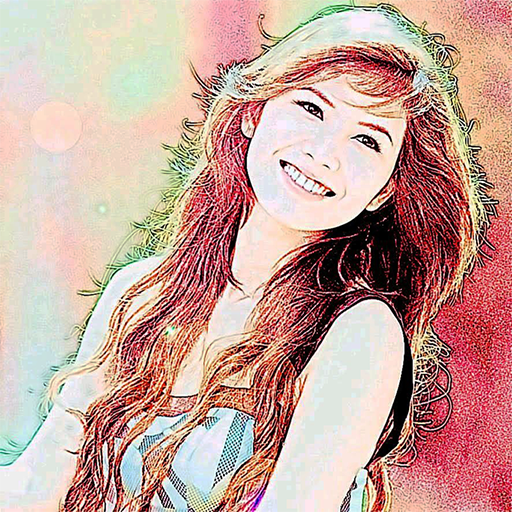
Color Photo Sketch
Turn your photos into sketch and art-style effects in one tap
More about Color Photo Sketch
Filters Versus Artists: An Honest Look at Automatic Art
What automatic sketch and art effects can and can't do, how they relate to human artistry, and how to enjoy them honestly.
Read article →Impressionism and Painterly Filters: Why Soft Focus Feels Artistic
How the Impressionists' approach to light and brushwork connects to painterly photo effects, and what to look for in photos.
Read article →Photography and Painting: A Short History of a Long Friendship
How the camera and the paintbrush have influenced each other, from the camera obscura to modern photo effects.
Read article →Pop Art and Bold Colour Effects: Warhol's Legacy on Your Phone
The story of pop art's colourful, repeated portraits, and how to choose photos for bold poster-like effects.
Read article →