Using Sketch-Style Photos for Social Media Profiles
Practical tips for using sketch-effect photos as social media profile pictures, including sizing and visual consistency.
A sketch-effect profile picture stands out in a feed dominated by ordinary photos — a small, distinctive choice that's easy to make well with a bit of planning.
Why a sketch profile picture stands out
Most profile pictures are straightforward photos — a sketch-style image immediately reads as different, memorable, and slightly more considered, without requiring any actual design skill to achieve that effect.
Choosing the right source photo
As covered in our best-photos article, a clear, well-lit photo with good subject-background contrast produces the cleanest sketch result — for a profile picture specifically, a straightforward, recognisable portrait shot (rather than a busy group photo or distant shot) works best, since the final image will often be displayed quite small.
Consider how it displays at small sizes
Profile pictures are frequently shown at small sizes across different platforms — a highly detailed, busy sketch effect can lose clarity when scaled down, while a cleaner, higher-contrast sketch remains recognisable even small. Preview your result at a genuinely small size before finalising, not just at full screen size.
Maintaining visual consistency across platforms
If you use the same or similar sketch-style image across multiple social platforms, a consistent style creates a more cohesive personal brand or recognisable presence than a completely different image style on each platform.
Colour vs monochrome for profile pictures specifically
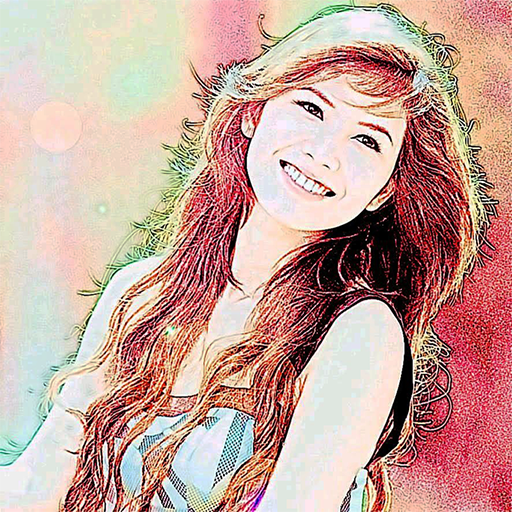
A colour sketch effect can feel warmer and more approachable for personal accounts; a monochrome sketch often reads as more polished or professional — worth choosing deliberately based on the impression you want to create, rather than defaulting to whichever effect you tried first.
Refreshing your profile picture periodically
A sketch-style profile picture is also a low-effort way to periodically refresh your online presence — applying the effect to an updated, recent photo keeps your profile feeling current, without needing an entirely new professional photoshoot each time.
A quick practical checklist
Choose a clear, well-lit source photo; preview the sketch effect at actual small display size; and pick colour or monochrome deliberately based on the tone you want your profile to convey.
Create a distinctive sketch-style profile picture with Color Photo Sketch →
Color Photo Sketch
Turn your photos into sketch and art-style effects in one tap
More about Color Photo Sketch
Filters Versus Artists: An Honest Look at Automatic Art
What automatic sketch and art effects can and can't do, how they relate to human artistry, and how to enjoy them honestly.
Read article →Impressionism and Painterly Filters: Why Soft Focus Feels Artistic
How the Impressionists' approach to light and brushwork connects to painterly photo effects, and what to look for in photos.
Read article →Photography and Painting: A Short History of a Long Friendship
How the camera and the paintbrush have influenced each other, from the camera obscura to modern photo effects.
Read article →Pop Art and Bold Colour Effects: Warhol's Legacy on Your Phone
The story of pop art's colourful, repeated portraits, and how to choose photos for bold poster-like effects.
Read article →