How Photo-to-Sketch Filters Actually Work
A plain explanation of how digital sketch and art filters transform a photo, and what makes some effects more convincing than others.
Turning a photo into something that looks hand-drawn feels like a small piece of magic, but the underlying process is a well-understood set of image processing steps, applied automatically and near-instantly.
The core idea: edge detection
Most sketch effects start with edge detection — an image processing technique that identifies areas of sharp contrast (where a shape's outline sits against its background) and highlights them, while flattening or removing more gradual colour transitions. This is essentially how a real pencil sketch works too — outlines and key contrast lines, with less emphasis on subtle shading.
Why some sketch filters look more convincing than others
A convincing sketch effect doesn't just detect edges — it also varies line weight, adds some texture mimicking pencil or charcoal strokes, and often desaturates or reduces colour to match how a real sketch would look. Simpler filters that only apply basic edge detection without these additional touches tend to look more mechanical and less like genuine artwork.
Colour sketch vs black-and-white sketch effects
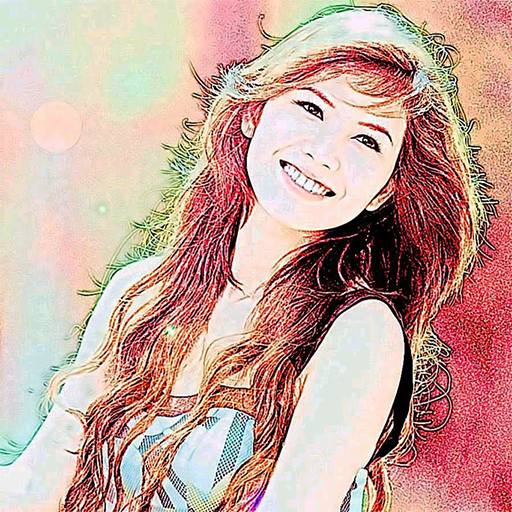
A black-and-white sketch effect mimics traditional pencil or charcoal drawing directly. A colour sketch effect is a bit more stylised — it typically keeps some of the original photo's colour information while still applying sketch-like line and texture treatment, aiming for something between a photo and a coloured illustration rather than a strictly monochrome pencil look.
Why photo quality affects the sketch result
A sharp, well-lit original photo with clear contrast between the subject and background produces a noticeably cleaner sketch effect than a blurry, low-contrast, or poorly lit photo — since the effect fundamentally relies on detecting real edges and contrast in the source image, a weak source image gives the algorithm less to work with.
Why faces and portraits often work particularly well
Faces have clear, well-defined edges (eyes, nose, jawline, hair boundary) that edge-detection-based effects can pick up effectively, which is part of why sketch filters are especially popular for portrait photos specifically.
A quick tip for better results
Choose source photos with good lighting and clear subject-background contrast when possible — the sketch effect quality is directly tied to how much clean edge information the original photo actually provides.
Turn your photos into sketch-style art instantly with Color Photo Sketch →
Color Photo Sketch
Turn your photos into sketch and art-style effects in one tap
More about Color Photo Sketch
Filters Versus Artists: An Honest Look at Automatic Art
What automatic sketch and art effects can and can't do, how they relate to human artistry, and how to enjoy them honestly.
Read article →Impressionism and Painterly Filters: Why Soft Focus Feels Artistic
How the Impressionists' approach to light and brushwork connects to painterly photo effects, and what to look for in photos.
Read article →Photography and Painting: A Short History of a Long Friendship
How the camera and the paintbrush have influenced each other, from the camera obscura to modern photo effects.
Read article →Pop Art and Bold Colour Effects: Warhol's Legacy on Your Phone
The story of pop art's colourful, repeated portraits, and how to choose photos for bold poster-like effects.
Read article →