Cropping Before You Sketch: Portrait, Landscape and Square Choices
How the shape of your crop affects a sketch effect, with tips on framing faces, scenes and objects before applying it.
Sketch effects simplify a picture, so what's inside the frame matters more than ever. Cropping before you apply an effect often gives a stronger result.
Why crop first
- Removes distractions that would turn into extra lines.
- Strengthens the subject.
- Sets the shape for how you'll use the picture.
- Focuses the effect on what matters.
Choosing a shape
| Shape | Best for |
|---|---|
| Portrait (tall) | single people, tall buildings, trees |
| Landscape (wide) | scenes, groups, horizons |
| Square | faces, objects, social profile images |
Faces
- Leave room above the head, about a hand's width in a portrait.
- Crop at a natural place: chest, shoulders or waist, not at joints such as the neck, elbows or knees.
- Place the eyes near the upper third.
- Keep the whole face clear, with the outline of the hair visible.
Scenes
- Place the horizon on a third.
- Crop out bright, empty areas that draw the eye.
- Include a foreground element for depth.
Objects
- Centre or place off-centre with room to breathe.
- Crop closer to fill the frame with detail.
Common mistakes
- Cutting off hands, feet or heads.
- Leaving distracting objects at the edges.
- Cropping so tightly that the resolution drops too low.
- Ignoring the intended use: a square crop for a profile, a wide crop for a banner.
Resolution
Cropping removes pixels. If you plan to print, start with a high-resolution photo, and don't crop more than needed.
Straightening
If the horizon or a building leans, straighten the photo when you crop. Straight lines look better as sketches.
Try variations
Save several crops of the same photo, apply the same effect and compare. You'll often find a tighter or wider crop gives a more striking picture.
Tip
Look at the picture at thumbnail size after cropping. If the subject still reads clearly, you're in good shape.
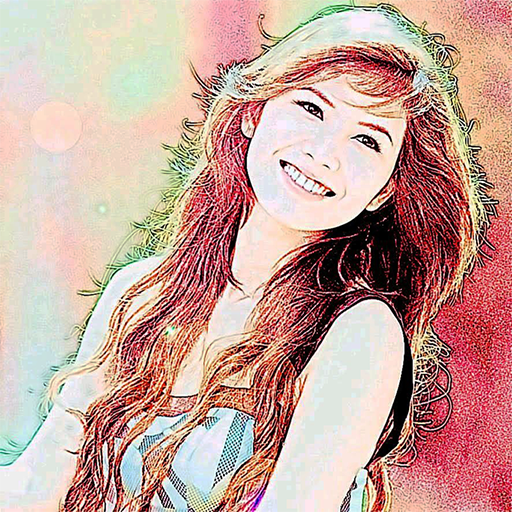
Color Photo Sketch
Turn your photos into sketch and art-style effects in one tap
More about Color Photo Sketch
Avoiding Over-Processing: Why Less Can Look More Like Art
How to recognise when an effect or edit has gone too far, and how to keep results natural and pleasing.
Read article →Comparing Effects: How to Choose the Best Result for a Photo
A simple method for trying several sketch effects on one picture and judging which one works best.
Read article →Keeping Originals and Sketch Versions Together: A Simple Filing System
How to name and store original photos and their sketch-style versions so nothing gets overwritten or lost.
Read article →Sharing Sketched Photos of Other People: Privacy and Consent
Why a sketch effect doesn't remove privacy concerns, and how to ask permission and share respectfully.
Read article →