What Makes a Word Search Easy or Hard?
The design choices that set the difficulty of a word search, from grid size to word directions.
Not all word searches are equally challenging. Several design choices set the difficulty.
Grid size
- Small grids (about 8 by 8) are quick and easy.
- Medium grids (about 12 by 12) are a comfortable challenge.
- Large grids (15 by 15 and above) take longer and need patience.
Number of words
More words mean more searching, but also more crossings that can help.
Directions
| Directions allowed | Difficulty |
|---|---|
| Across and down only | easy |
| Plus backwards | medium |
| All eight directions | harder |
Word length
- Short words are hard to spot because they can hide anywhere.
- Long words cover more cells, but you must track more letters.
Filler letters
- Random filler is standard.
- Filler that looks like the hidden words is harder, because it creates false leads.
Word similarity
If the list contains words that are alike, such as STAR and START, you need to look carefully to find the right one.
Hidden word lists
Some puzzles do not show the word list, which makes them much harder. You have to find words by pattern.
Visual design
Clear, large letters make a puzzle easier on the eye. Clutter makes it harder.
Choosing your level
- Relaxing: small grids, simple directions
- Challenging: larger grids, all directions
- Very hard: no word list
Endless play
A game with endless levels allows you to move up in difficulty at your own pace.
Tips
- Start easy.
- Raise difficulty gradually.
- Choose what feels fun.
Relax with an endless word search in Crossword - Word Search Game →
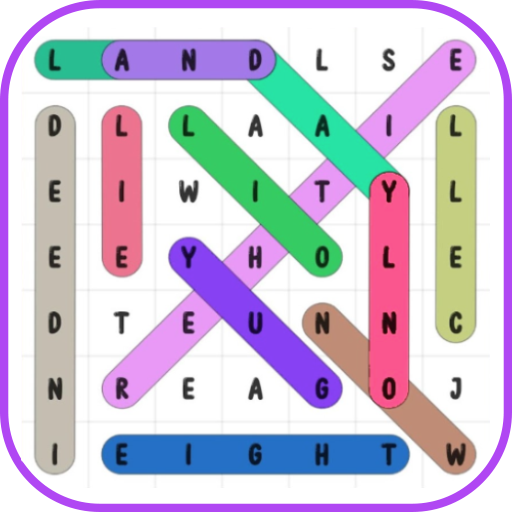
Crossword - Word Search Game
A relaxing, endless word search puzzle game
More about Crossword - Word Search Game
Family Puzzle Time: Playing Together at Home
Ideas for turning a quiet word search into a shared family activity for different ages.
Read article →Homophones: Words That Sound the Same
A guide to common homophones in English, and how puzzles help you notice the differences.
Read article →Plural Nouns: Regular and Irregular
How English makes plurals, and the irregular ones that often appear in puzzles and spelling tests.
Read article →Puzzles on the Commute and While Travelling
How offline-friendly puzzles can make travel time pleasant, with tips for staying safe and considerate.
Read article →