Sketch Effects for Self-Portraits: Getting a Flattering Result
How to take and choose a selfie or self-portrait that turns into a flattering sketch — lighting, angles, backgrounds and expression tips.
Turning a selfie into a sketch is fun, but some photos turn out much better than others. A few small choices before you take the photo make a big difference.
Light from the front or side
Sketch effects rely on contrast between light and shadow:
- Soft window light from the front or slightly to one side gives gentle shading that looks like a skilled pencil drawing.
- Harsh overhead light creates dark eye sockets and shadows under the nose.
- Very flat light (like a ring light straight on) can make the sketch look washed out with few lines.
Try standing near a window during the day, turned slightly towards the light.
Choose a plain background
A busy background — shelves, posters, patterned curtains — turns into a mass of lines that competes with your face. A plain wall keeps attention on you.
Angle matters
- Holding the camera slightly above eye level is often flattering.
- A slight head turn (three-quarter view) adds depth and more interesting shading than a straight-on face.
- Keep your chin slightly forward to define the jawline.
Expression
Natural expressions translate best. A relaxed smile or calm look reads well; exaggerated faces can look odd as sketches.
Sharpness
Sketch effects emphasise edges. A blurry selfie becomes a blurry sketch. Hold the phone steady, tap to focus on your eyes and clean the lens.
Hair and glasses
- Hair with some texture creates beautiful lines.
- Glasses can reflect light; tilt them slightly or angle yourself to avoid glare.
Try more than one effect
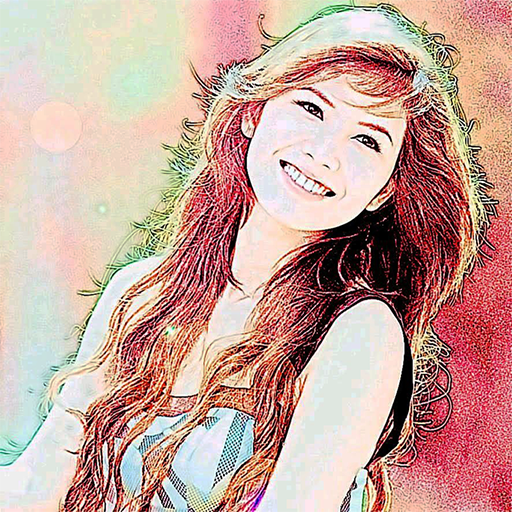
Different effects suit different photos. A pencil effect might look elegant, while a colour sketch may feel livelier. Compare a few and pick your favourite.
Simple edits first
If your photo is dark, brighten it a little before applying the effect. Slight cropping to centre your face also helps.
Use it creatively
Sketched self-portraits make great profile pictures, journal covers or printed keepsakes.
Color Photo Sketch
Turn your photos into sketch and art-style effects in one tap
More about Color Photo Sketch
Flowers and Plants: Botanical-Style Sketches From Photos
Photograph flowers and plants so they become elegant botanical-style sketches — lighting, backgrounds, close-ups and ideas for using the results.
Read article →Food Photos as Sketch Art for Menus and Recipes
Turn food photos into sketch-style illustrations for menus, recipe cards and cookbooks, with tips on lighting, plating and choosing effects.
Read article →Night and Low-Light Photos: Can They Become Good Sketches?
Why dark and noisy photos often turn into muddy sketches, which night photos work well, and how to prepare low-light images for art effects.
Read article →Shadows and Highlights: What Makes a Sketch Pop
Understand how light and shadow in your original photo shape the final sketch, and how to adjust brightness and contrast for better art effects.
Read article →